November 2025
The Coordination Layer for 3D Geospatial Data
Dev Patel
Mesh is the coordination layer for 3D geospatial data: an AI-powered platform that automates mesh component extraction, identification, and educational visualization. Upload a GLB or generate a 3D model and have AI identify, annotate, and explain every part—and control the view with physical hardware (like Jarvis from Iron Man). GitHub · LinkedIn post.
Introduction
I've always been fascinated by 3D models, but working with them is a whole different story. Traditional 3D processing usually means complex software (Blender, CAD tools), hours of manual component extraction, and tedious documentation. I started thinking: What if processing 3D meshes could be as simple as processing images?
What if you could type in what you want to visualize and have AI identify every component, explain what each part does, and let you control the view with physical hardware—like waving your hands to rotate a 3D model as naturally as a real object? That's the vision behind Mesh: making 3D model analysis accessible to everyone, not just people with years of CAD experience.
The problem
Typical workflow today:
- Import the model into specialized software (Blender, SolidWorks, Fusion 360).
- Manually identify each component.
- Extract components one by one.
- Document each part with descriptions and relationships.
- Create educational materials with annotations.
This can take hours or days for complex models. With Mesh, you click on a component and get instant AI-powered identification, explanations, and annotated visualizations in seconds.
Research: SAM3D and the pivot
We were initially excited about SAM3D (Segment Anything Model 3D) from Meta for automatic 3D segmentation. In practice we ran into:
- Performance: Too slow (minutes per model), which killed real-time interaction.
- Accuracy: Inconsistent segmentation (merged or split parts incorrectly).
- Integration: Hard to plug into our Three.js pipeline.
- Resources: Heavy compute; not realistic for web/laptop users.
We pivoted to a hybrid approach:
- BufferGeometryUtils (Three.js) to merge and separate mesh components by geometry.
- Gemini Pro Vision to identify components from screenshots of highlighted parts.
- GPT-4 to generate educational explanations.
This gave us 2–3 second turnaround, better accuracy, and browser-friendly execution. Lesson: sometimes combining proven techniques beats forcing the latest research model into production.
Mesh extraction
When you load a 3D model (e.g. mechanical assemblies or CAD), everything is often one welded mesh. We need to separate components first.
Why BufferGeometryUtils? It gives us vertex deduplication so shared vertices are shared by index—essential for connectivity analysis—and merging for performance.
Connectivity algorithm: We build a vertex-to-face map, then run BFS from each unvisited face to find all faces connected by shared vertices. Each connected set is one component. We then reconstruct a new geometry per component so each can be selected, analyzed, or exported.
// Ensure indexed geometry and deduplicate
let indexedGeom = geom;
if (!geom.index) {
  indexedGeom = BufferGeometryUtils.mergeVertices(geom);
}
// Build vertex-to-face adjacency, then BFS to find components
const vertToFaces = new Array(vertexCount).fill().map(() => []);
// ... BFS per face, collect connected faces into components
// Reconstruct one mesh per component
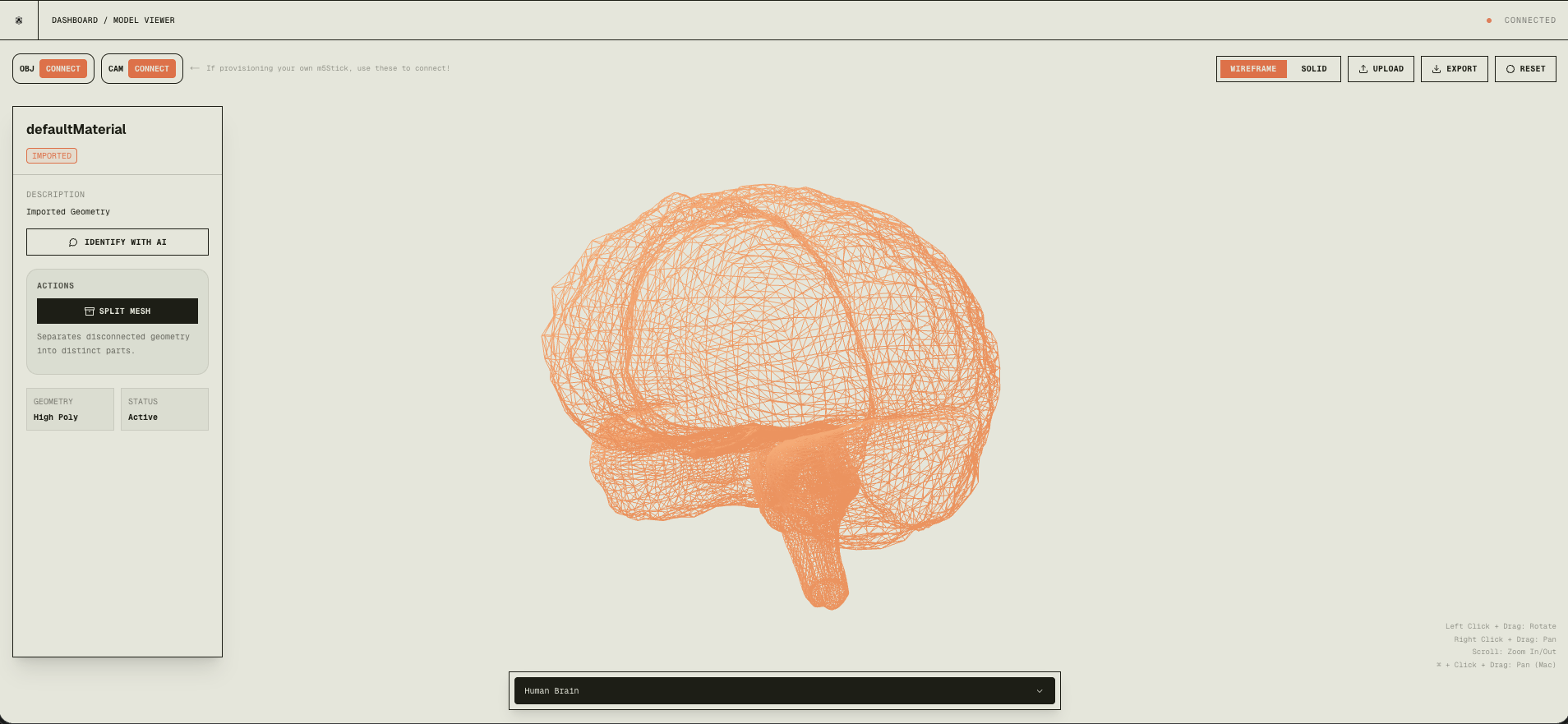
Before: a single unified mesh.
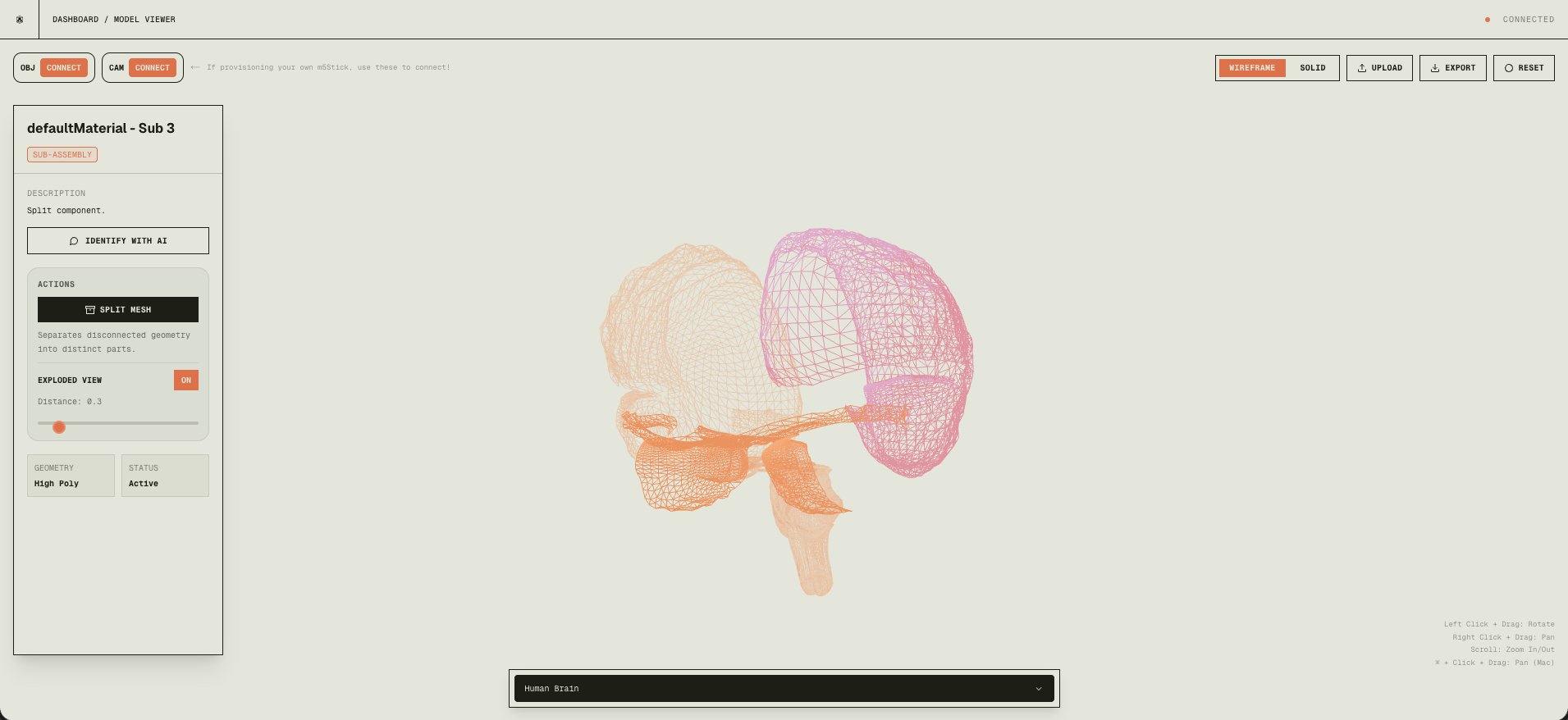
After: each part is its own mesh.
This runs in milliseconds and is deterministic: physically separate parts (no shared vertices) always split correctly.
AI processing pipeline
When you click a component in the viewer:
- Capture a high-res screenshot of the canvas with that component highlighted (base64).
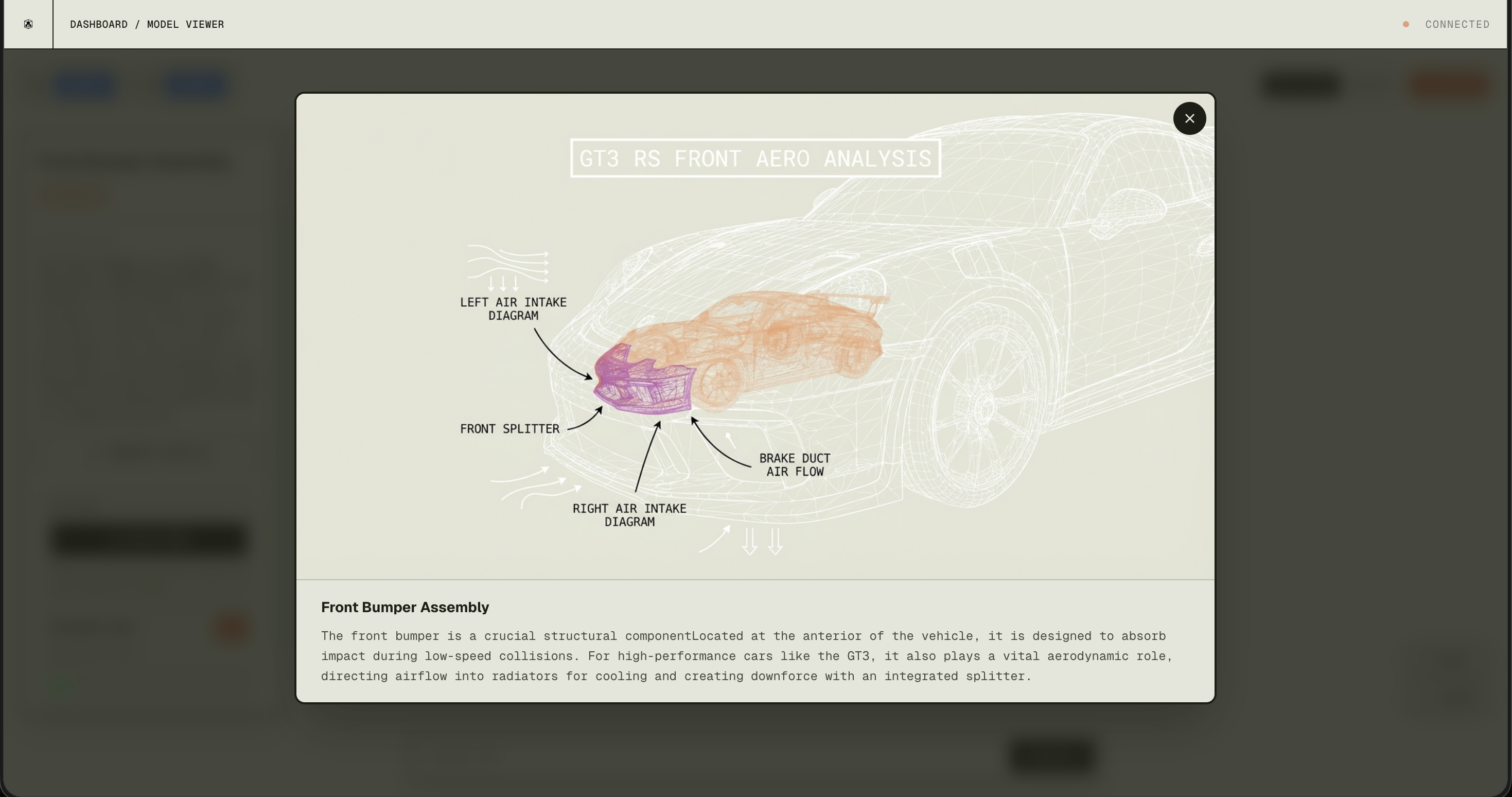
- Gemini Pro (via OpenRouter) gets the image plus geometric metadata (vertex count, bounding box) and returns structured JSON: name, description, category, confidence.
- Annotated wireframe — Gemini can also produce an annotated overlay with labels.
- GPT-4 (via OpenRouter) takes the component identity and context and generates educational explanations.
- UI updates in real time; full pipeline in about 2–3 seconds.
Hardware control
We built custom firmware for the Arduino M5StickCPlus2 (ESP32 + 6-axis IMU) so it acts as a 6-axis motion controller for the 3D camera. Raw IMU data is fused with the Madgwick AHRS algorithm into stable quaternions at 500Hz. We use relative orientation (q_rel = qCurr × conj(qRef)) so you can re-center with a button. The stick streams quaternions over BLE; the web app uses the Web Bluetooth API to drive the Three.js camera. Result: pick up the stick and rotate the 3D model in your hand in real time.
Tech stack
- Frontend: Next.js, React, Three.js, React Three Fiber, Framer Motion, Tailwind
- AI: OpenRouter (Gemini Pro Vision for component ID and annotation, GPT-4 for explanations), Sketchfab API for models
- Hardware: M5StickCPlus2, NimBLE (BLE), Madgwick filter, Web Bluetooth API
- Infrastructure: Vercel, Next.js API routes, dynamic imports
Ending remarks
Mesh sits at the intersection of AI, 3D graphics, and hardware. What started as “make 3D model analysis as easy as image analysis” became a full platform: automatic component extraction, AI identification and explanations, and physical hardware control. The most rewarding part was watching it all come together—Gemini identifying components, GPT-4 generating useful explanations, and the M5Stick giving a natural, Jarvis-like way to explore 3D. No specialized software or CAD background required.