november 25th, 2025

built the coordination layer for 3d geospatial data

Mesh Platform

introduction

I've always been fascinated by 3D models, but working with them? That's a whole different story. Traditional 3D model processing is honestly a nightmare. You need complex software like Blender or CAD tools, spend hours manually extracting components, and the whole process is just... tedious. I'd watch engineers and researchers waste entire days breaking down models, identifying parts, and creating educational materials, all by hand.

So I started thinking: What if processing 3D meshes could be as simple as processing images?

What if you could just type in what you want to visualize and have AI automatically identify every component, explain what each part does, and even let you control the visualization with actual physical hardware? Like, imagine just waving your hands in the air and rotating a 3D model in your hand as naturally as you'd rotate a real object.

That's the vision behind Mesh. I wanted to make 3D model analysis accessible to everyone, not just people with years of CAD experience.

the problem

Let me paint you a picture of how broken the current workflow is. Say you're an engineer trying to understand a complex mechanical assembly. Here's what you're stuck doing:

1. Import the model into some specialized software (Blender, SolidWorks, Fusion 360... take your pick)
2. Manually identify each component by staring at it and guessing
3. Extract components one by one through the most tedious clicking and selecting you've ever done
4. Document each part with descriptions, functions, how they relate to each other
5. Create educational materials with annotations and explanations

This whole process? It can take hours or even days for complex models. You need to be an expert in 3D software, know what you're looking at, and have the patience of a saint. For educators trying to create learning materials or engineers documenting assemblies, it's honestly a massive waste of time.

That's where Mesh comes in. Type in what you want to see, click on a component, and boom; instant AI-powered identification, detailed explanations, annotated visualizations. What used to take hours now takes seconds.

research

When we first started building Mesh, we were super excited about SAM3D (Segment Anything Model 3D) — Meta's new model that promised to revolutionize 3D segmentation. The idea was perfect for what we wanted to do: automatically segment 3D models into individual components without any manual work.

Initial Excitement
SAM3D was supposed to be the holy grail. Meta claimed it could segment any 3D object with minimal input, just like SAM did for 2D images. We dove into the research papers, checked out the demos, and started planning how to integrate it into our pipeline. The potential was huge, imagine automatically breaking down a complex mechanical assembly into hundreds of individual parts with a single click.

The Reality Check
Then we actually tried to use it. And honestly? It was a bit of a letdown. Here's what we ran into:

Performance Issues // SAM3D was incredibly slow. We're talking minutes to process a single model, which completely killed the real-time interaction we wanted. For a platform meant to provide instant feedback, this was a dealbreaker.

Accuracy Problems // The segmentation quality was... inconsistent. Sometimes it would nail the component boundaries perfectly, other times it would merge separate parts together or split a single component into multiple pieces. For educational purposes where accuracy matters, this was problematic.

Complex Integration // Getting SAM3D to work with our existing Three.js pipeline was way more complicated than we anticipated. The model required specific input formats, preprocessing steps, and post-processing to clean up the results. It wasn't the plug-and-play solution we hoped for.

Resource Intensive // Running SAM3D required significant computational resources (like insanely high). Initially we were able to SSH into McMaster's computers and use those for testing but for a web-based platform that needed to work on regular laptops and even mobile devices, this was a major constraint. We couldn't expect users to have high-end GPUs just to analyze a 3D model.

SAM3D Research

The Pivot
After a whole night of testing and trying to work around these limitations, we made the tough call to pivot away from SAM3D. Instead, we went with a hybrid approach that combined traditional geometry analysis with AI vision models. This turned out to be way more practical:

• We use BufferGeometryUtils to intelligently merge and separate mesh components based on geometric properties
Gemini Pro Vision handles the visual identification by analyzing screenshots of highlighted components
GPT-4 generates educational explanations based on the identified components

This approach gave us the speed we needed (2-3 seconds instead of minutes), better accuracy for component identification, and way simpler integration with our existing stack. Plus, it works in the browser without requiring users to have powerful hardware.

Lessons Learned
SAM3D taught us an important lesson: cutting-edge research models aren't always production-ready. Sometimes the "boring" solution (ideally ours), combining proven techniques in smart ways, works better than trying to force the latest AI model into your pipeline.

mesh extraction

Moving on, the part that most people were curious about was how were we even able to extract individual components from 3D models when they were imported as a single unified object? After we decided to pivot from SAM3D, we needed a solid way to actually extract individual components from 3D models. This is where BufferGeometryUtils from Three.js became our best friend. It's basically a collection of utilities for manipulating low-level mesh geometry, and it's perfect for what we needed to do.

The Challenge
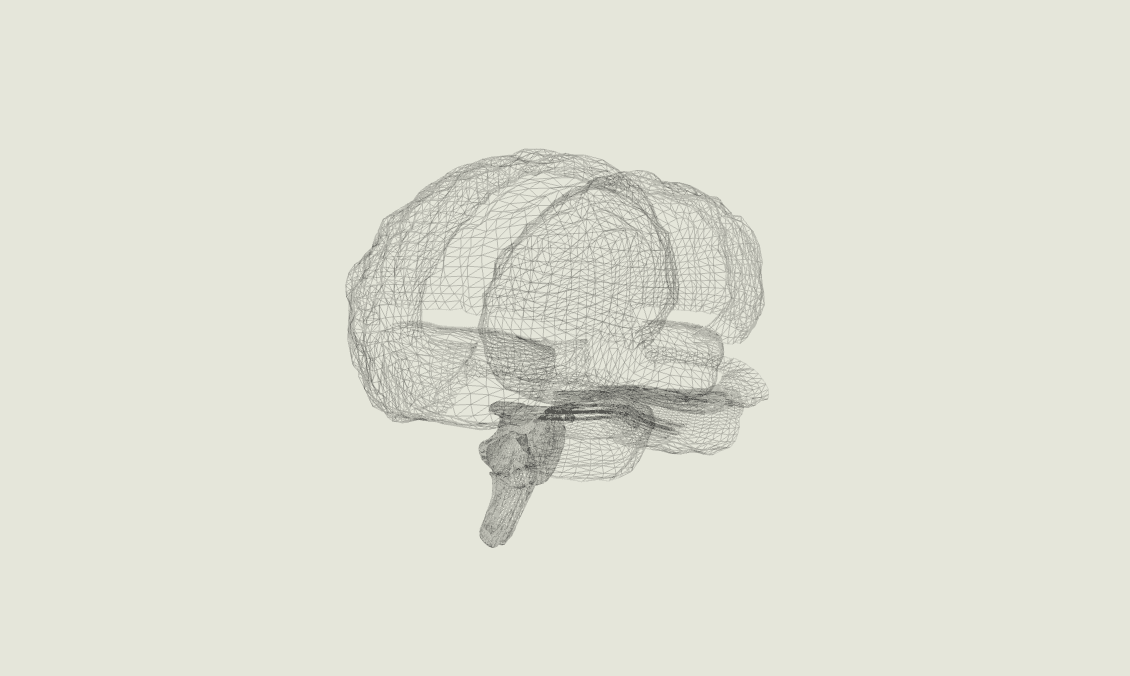
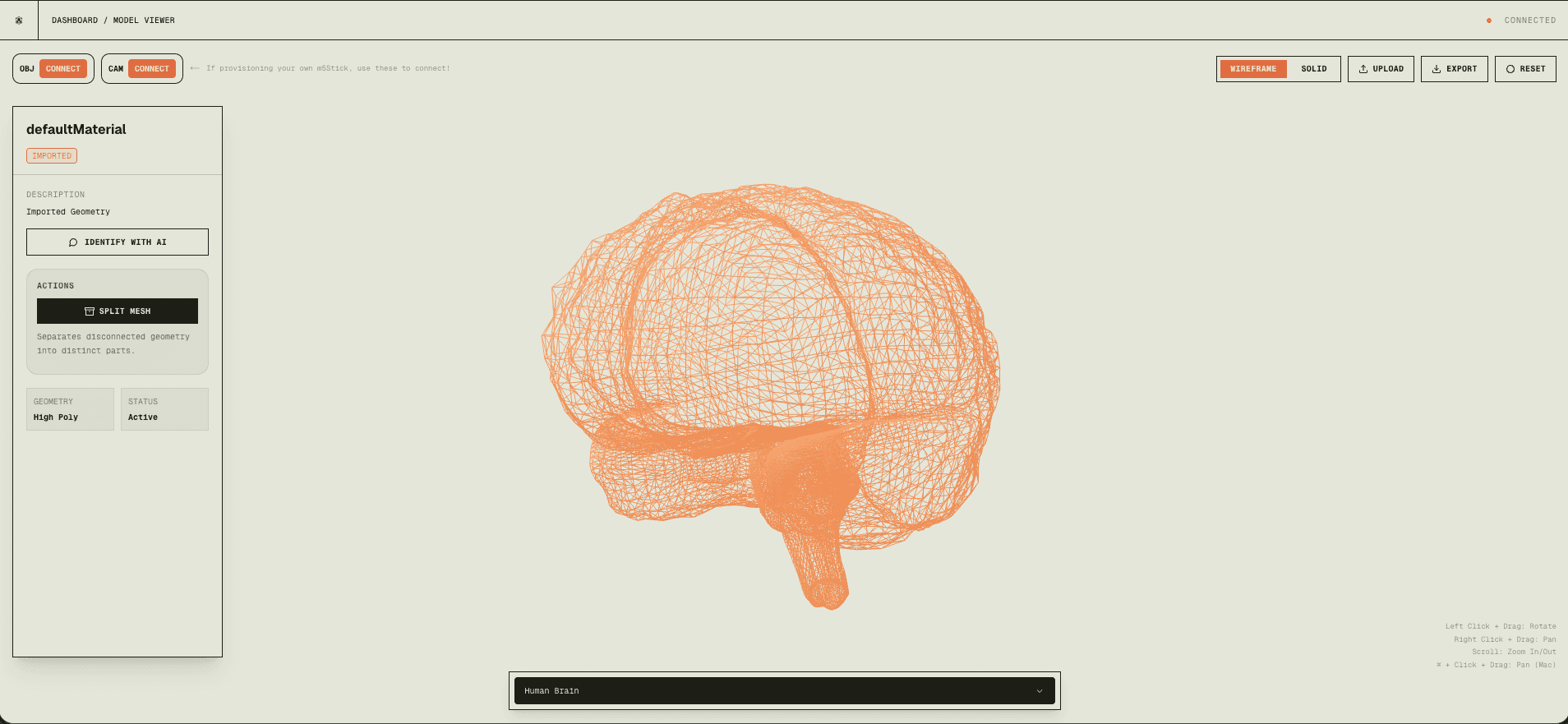
When you load a 3D model, especially mechanical assemblies or CAD files, everything is often welded together into one giant mesh. Imagine a car model where the wheels, body, engine, and seats are all just... one continuous blob of triangles. To identify and explain individual components, we first need to separate them.

Single Unified Mesh

Before: A single unified mesh — everything welded together

Why BufferGeometryUtils?
BufferGeometryUtils gives us two critical operations:

Merging Geometries // Combining multiple meshes into one for performance (fewer draw calls = faster rendering)
Vertex Deduplication // This is the secret sauce. Before we can split a mesh, we need to ensure all shared vertices are actually shared by index. This is crucial for connectivity analysis.

Here's the safety check we always run:

// Ensure indexed geometry and deduplicatelet indexedGeom = geom;if (!geom.index) {    indexedGeom = BufferGeometryUtils.mergeVertices(geom);}// Build vertex-to-face adjacencyconst index = indexedGeom.index.array;const facesCount = index.length / 3;const vertexCount = indexedGeom.attributes.position.count;const vertToFaces = new Array(vertexCount).fill().map(() => []);for (let i = 0; i < facesCount; i++) {    vertToFaces[index[i*3]].push(i);    vertToFaces[index[i*3+1]].push(i);    vertToFaces[index[i*3+2]].push(i);}// BFS to identify connected componentsconst visitedFaces = new Uint8Array(facesCount);const components = [];for (let f = 0; f < facesCount; f++) {    if (!visitedFaces[f]) {        const component = [];        const stack = [f];        visitedFaces[f] = 1;                while (stack.length) {            const faceIdx = stack.pop();            component.push(faceIdx);                        const faceVerts = [                index[faceIdx * 3],                index[faceIdx * 3 + 1],                index[faceIdx * 3 + 2]            ];                        // For each vertex, add all connected faces            faceVerts.forEach((v) => {                vertToFaces[v].forEach((nbrFace) => {                    if (!visitedFaces[nbrFace]) {                        visitedFaces[nbrFace] = 1;                        stack.push(nbrFace);                    }                });            });        }        components.push(component);    }}

The Connectivity Algorithm
This is where things get really interesting. We built a custom connectivity algorithm that analyzes which faces (triangles) are connected through shared vertices (shoutout Data Structures and Algorithms!!). Think of it like finding islands in an ocean, each "island" is a separate component.

Here's how it works:

Step 1: Build Vertex-to-Face Map
For every vertex in the mesh, we create a list of which faces (triangles) it belongs to. This gives us a quick lookup: "Which faces share this vertex?"

Step 2: Breadth-First Search (BFS)
Starting from an unvisited face, we traverse to all "neighbor" faces — faces that share at least one vertex. We keep expanding outward until we've found all connected faces. That's one component.

Step 3: Repeat
We repeat this process for every unvisited face until we've identified all separate components in the model.

Step 4: Reconstruct Meshes
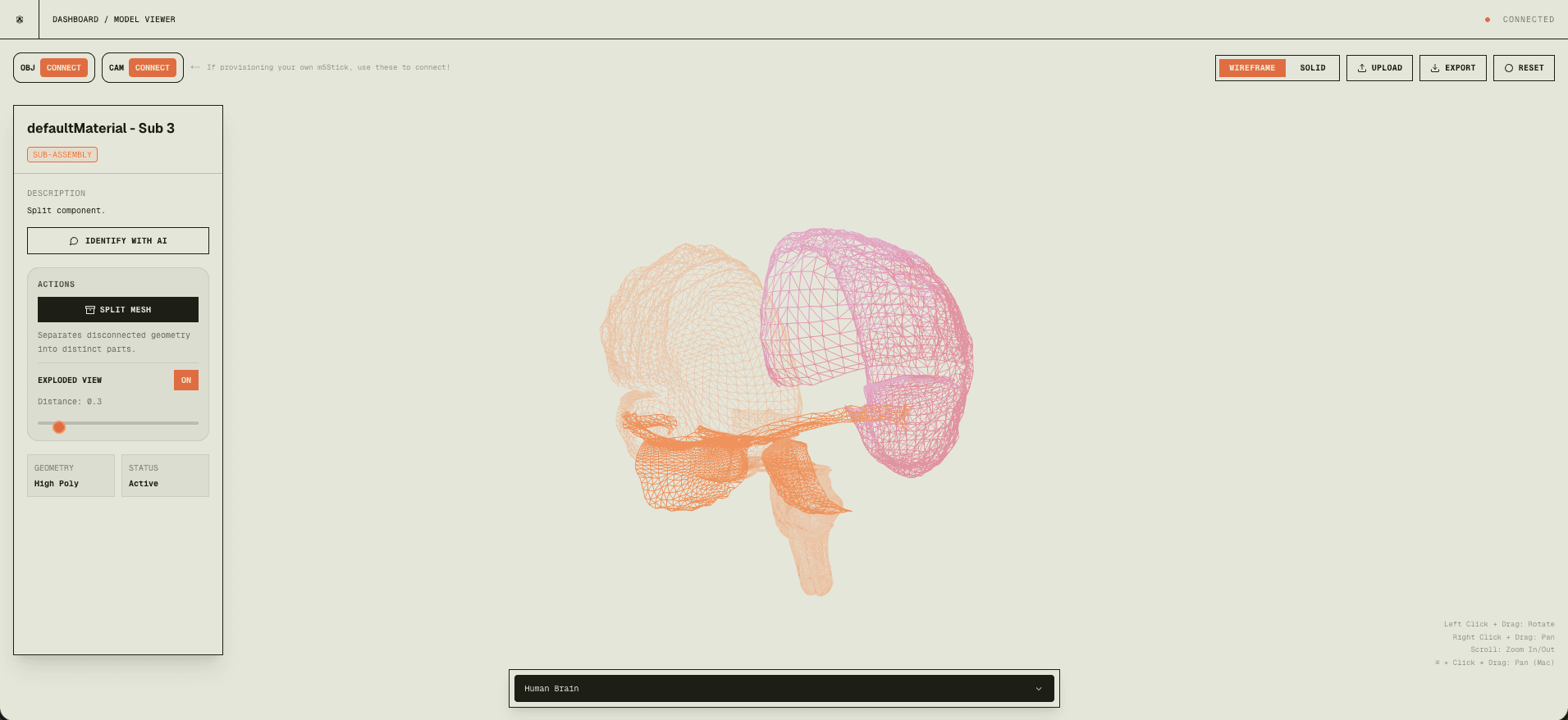
For each component (set of faces), we create a brand new geometry with just those faces and their vertices. Now each component is its own independent mesh that can be selected, analyzed, or exported separately.

Multiple Separated Meshes

After: Multiple separated components — each part is now independent

Why This Matters
This geometric approach is blazing fast. We're talking milliseconds to split even complex models with thousands of components. Compare that to SAM3D's minutes-long processing time, and you can see why we went this route.

Plus, it's deterministic and reliable. If two parts are physically separate in the model (not sharing vertices), they'll always be split correctly. No AI uncertainty, no weird edge cases where the model decides to merge things that shouldn't be merged.

ai processing pipeline

Now here's where things get interesting. The core of Mesh is this multi-stage AI pipeline we built that takes raw 3D meshes and turns them into actual educational content. When you click on a component in the viewer, a lot happens behind the scenes in just a couple seconds:

Stage 1: Component Selection & Screenshot Capture
You click or hover over a mesh component in the Three.js viewer. We capture a high-res screenshot of the canvas with that specific component highlighted and convert it to base64 for transmission.

Stage 2: Gemini Pro Analysis
We send that screenshot along with geometric metadata (vertex count, bounding box, position) to Gemini Pro via OpenRouter API. Gemini looks at both the visual and geometric data to figure out what the component actually is.

# AI-Powered Component Identification Pipelineasync def identify_components(screenshot, mesh_data):    # Step 1: Capture highlighted component screenshot    image_base64 = canvas_to_base64(screenshot)        # Step 2: Send to Gemini Pro via OpenRouter    response = await openrouter.chat.completions.create(        model="google/gemini-pro-vision",        messages=[{            "role": "user",            "content": [                {"type": "image_url", "image_url": image_base64},                {"type": "text", "text": "Identify this 3D component"}            ]        }]    )        # Step 3: Parse structured JSON response    component_data = json.loads(response.choices[0].message.content)        return {        "name": component_data["name"],        "description": component_data["description"],        "confidence": component_data["confidence"]    }

Stage 3: Structured JSON Parsing
Gemini sends back a structured JSON response with the component name, description, category, and a confidence score. We parse this with fallback error handling because, you know, AI can be unpredictable sometimes.

Stage 4: Annotated Image Generation
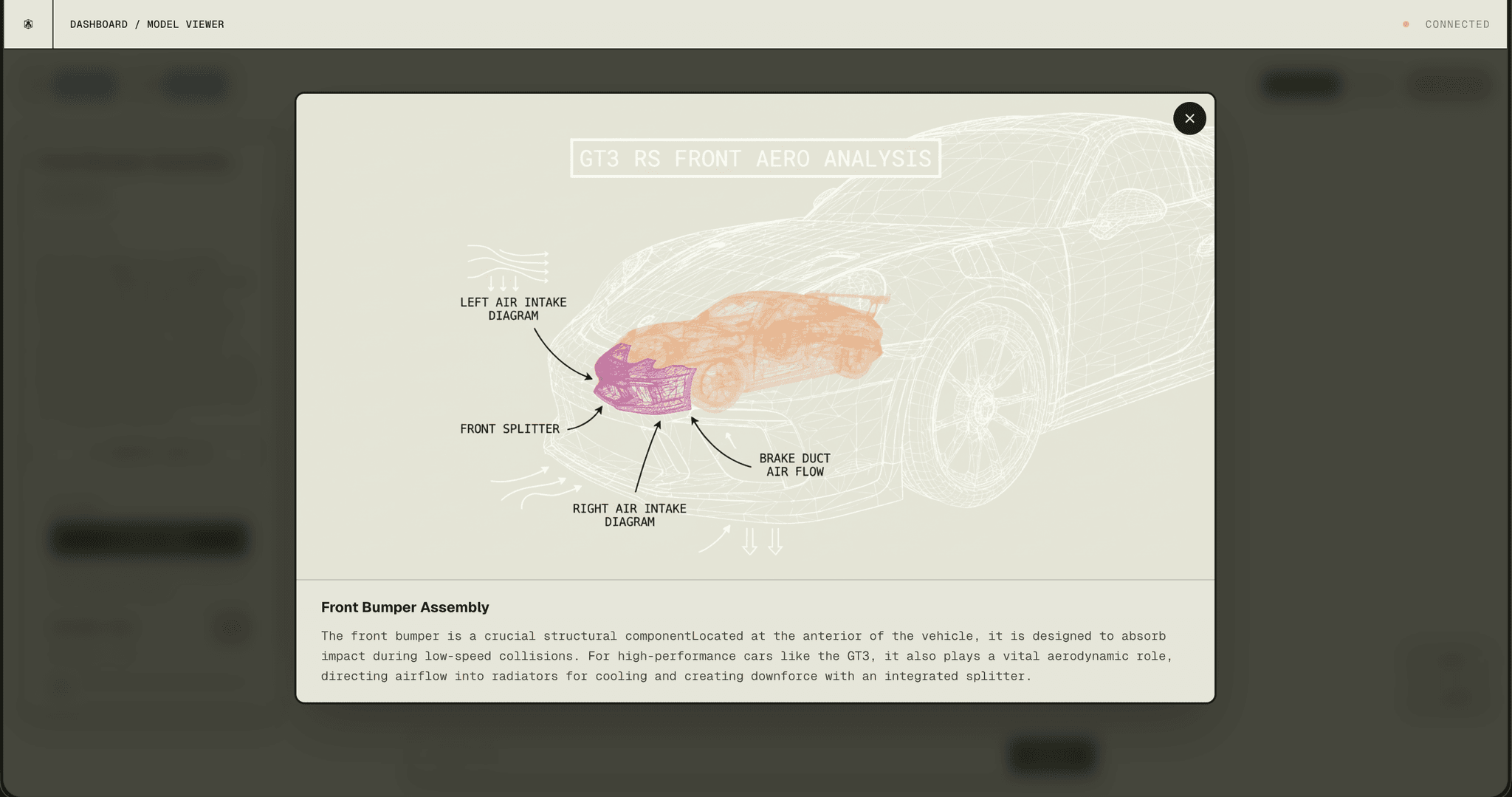
Here's a cool part. Gemini also generates an annotated wireframe overlay with labels pointing to key features. It's like having someone draw on the component to show you exactly what you're looking at.

Annotated Mesh Wireframe

Stage 5: GPT-4 Educational Explanation
After identifying the component, we send the mesh geometry, position, and context to GPT-4 via OpenRouter to generate actual educational content. GPT-4 digs into the component's role, function, and characteristics to produce detailed explanations that are actually useful for learning or documentation.

Stage 6: Real-Time UI Update
Everything displays in real-time with smooth loading states and animations. The entire pipeline? 2-3 seconds. That's it. From click to comprehensive analysis in less time than it takes to open Blender.

 [MESH] AI Component Identification Started [MESH] Screenshot captured: 1920x1080 [MESH] Sending to Gemini Pro via OpenRouter... [MESH] Response received in 1.2s  Component Identified: ├─ Name: "Helmet Visor Assembly" ├─ Category: "Protective Equipment" ├─ Confidence: 94.3% └─ Description: "Transparent polycarbonate visor with     anti-fog coating, designed for impact protection..."  [MESH] Generating annotated wireframe... [MESH] GPT-4 educational explanation generated [MESH] Total pipeline time: 2.8s ✓ Component analysis complete  

This whole pipeline combines Gemini Pro's visual understanding with GPT-4's language capabilities to deliver comprehensive 3D model analysis. What used to take hours of manual work now happens automatically in seconds. Pretty wild, honestly.

hardware control

Okay, this is probably my favorite part of Mesh. Physical hardware control. We built custom firmware for the Arduino M5StickCPlus2 that basically turns it into a 6-axis motion controller for navigating 3D models. It's like having a real object in your hand.

The Hardware Setup
The M5StickCPlus2 is this compact ESP32-based device with a built-in 6-axis IMU (gyroscope + accelerometer). We developed two firmware variants for it:

Camera Stick: Controls the 3D camera orientation by streaming quaternion data at 500Hz
Object Stick: Handles button-triggered actions (AI identify, zoom control) encoded as special quaternion patterns

// M5StickCPlus2 - BLE Quaternion Streaming#include <M5StickCPlus2.h>#include <NimBLEDevice.h>// Madgwick Filter for sensor fusionMadgwick filter;float qx, qy, qz, qw;void setup() {  M5.begin();  M5.Imu.Init();    // Initialize BLE  NimBLEDevice::init("Mesh-Camera-Stick");  NimBLEServer *pServer = NimBLEDevice::createServer();    // Create quaternion characteristic  NimBLECharacteristic *pChar = pService->createCharacteristic(    CHAR_UUID,    NIMBLE_PROPERTY::READ | NIMBLE_PROPERTY::NOTIFY  );}void loop() {  // Read IMU data at 500Hz  M5.Imu.getGyroData(&gx, &gy, &gz);  M5.Imu.getAccelData(&ax, &ay, &az);    // Madgwick filter fusion  filter.updateIMU(gx, gy, gz, ax, ay, az);    // Get quaternion  qx = filter.getQuaternionX();  qy = filter.getQuaternionY();  qz = filter.getQuaternionZ();  qw = filter.getQuaternionW();    // Stream via BLE  pChar->setValue((uint8_t*)&qx, sizeof(float) * 4);  pChar->notify();}

The Secret Sauce: Madgwick Filter
Raw IMU data is super noisy and drifts like crazy. For those of you that use controllers, it's exactly like StickDrift. So we used the Madgwick AHRS algorithm to fuse gyroscope and accelerometer data into stable quaternion orientation. This gives us smooth, drift-free rotation tracking at 500Hz, which is honestly pretty satisfying to see in action.

Relative Orientation System
Instead of absolute orientation, we went with relative quaternions: q_rel = qCurr × conj(qRef). This means you can "re-center" the controller anytime by pressing a button. Makes the whole system way more intuitive and comfortable to use.

// Web Bluetooth API Integrationconst connectToM5Stick = async () => {  try {    // Request BLE device    const device = await navigator.bluetooth.requestDevice({      filters: [{ name: 'Mesh-Camera-Stick' }],      optionalServices: [SERVICE_UUID]    });        const server = await device.gatt.connect();    const service = await server.getPrimaryService(SERVICE_UUID);    const characteristic = await service.getCharacteristic(CHAR_UUID);        // Listen for quaternion updates    await characteristic.startNotifications();    characteristic.addEventListener('characteristicvaluechanged', (event) => {      const value = event.target.value;      const qx = value.getFloat32(0, true);      const qy = value.getFloat32(4, true);      const qz = value.getFloat32(8, true);      const qw = value.getFloat32(12, true);            // Apply to Three.js camera      camera.quaternion.set(qx, qy, qz, qw);    });  } catch (error) {    console.error('BLE connection failed:', error);  }};

The end result? A seamless, intuitive way to explore 3D models. You literally just pick up the M5Stick, rotate it in your hand, and watch the 3D model respond in real-time. It feels like you're holding the actual object. That's the kind of interaction we wanted to create. Making complex 3D exploration feel natural and accessible to anyone.

tech stack

Building Mesh required a pretty diverse tech stack. We needed real-time 3D rendering, AI processing, and hardware integration all working together seamlessly. Here's what we used:

Frontend
Next.js 16 & React 19 // As with most of my projects...
Three.js + React Three Fiber // for all the WebGL rendering with post-processing effects (bloom, shadows, the works)
Framer Motion // For everyone asking about animations
Tailwind CSS

AI/ML
OpenRouter API // unified access to both Gemini Pro and GPT-4
Gemini Pro Vision // handles the 3D component identification and image annotation
GPT-4 // generates all the educational content
Sketchfab API // for model search and download functionality

Hardware
Arduino M5StickCPlus2 // ESP32-based with a 6-axis IMU
NimBLE-Arduino // for efficient BLE communication
Madgwick AHRS Filter // the secret sauce for sensor fusion
Web Bluetooth API // browser-native BLE integration (works in Chrome/Edge)

Infrastructure
Vercel // deployment and hosting (because it just works)
Next.js API Routes // backend processing
Dynamic Imports // code-splitting and SSR optimization to keep things fast

ending remarks

Building Mesh was honestly one of the most fun projects I've worked on. It sits right at the intersection of AI, 3D graphics, and hardware, three things I'm genuinely passionate about. What started as a simple idea ("make 3D model analysis as easy as image analysis") turned into this full platform with AI-powered component identification, educational content generation, and actual physical hardware control.

The most rewarding part? Watching everything come together. Seeing Gemini Pro accurately identify complex mechanical components, watching GPT-4 generate genuinely insightful explanations, and experiencing the seamless hardware control with the M5Stick, it all just clicked. That moment when you pick up the controller and the 3D model responds perfectly? That's the kind of interaction we created.

This project pushed me to learn a ton of new stuff, Three.js, React Three Fiber, Arduino firmware development, BLE protocols, sensor fusion algorithms. Each piece was a challenge, but that's what made it exciting. The end result is a platform that actually makes 3D model analysis accessible to anyone, no specialized software or years of CAD experience required.

This wraps up my project work for 2025. Looking ahead to 2026, I'm aiming to dive deeper into LLM research and the field of Voice AI. This year has been incredible, and I can't wait to see what San Francisco has in store for me next year!